Another day, another tester leaking something they shouldn’t. You have no chance navigating your way to the flag though: It is simply not visible for you!
Difficulty: Medium
Let’s solve the No Accessible Vector challenge using the principles we’ve just learned. Make sure you read the Capture the Flag tips first, as this article leans heavily on the first.
First, we read the description and realize that a tester built a page that we don’t have access to. We can use our first principle of using developer mistakes to theorize about the solution. One common mistake is a developer not realizing that all pages are accessible regardless of access rules. All we have to do is figure out the name of the page.
Going back to our client − server knowledge, there might be some data exchanged about available pages. And indeed, one of the requests contains some metadata about the page that includes pages not accessible to the current userrole:
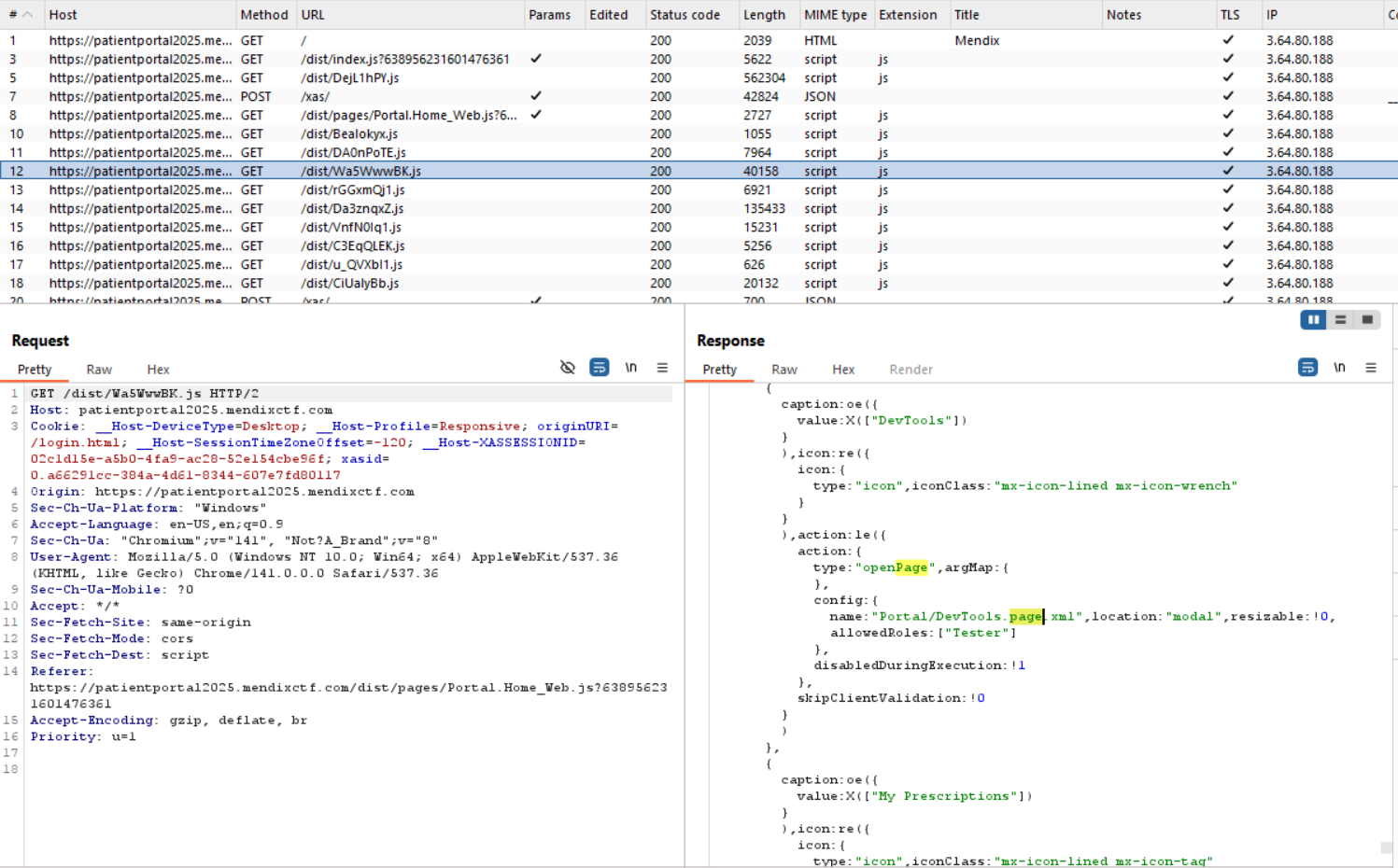
Now that we know the name of the page, all we have to do is open it. Attempting to open the page using the Ciphix DevTools is not possible because of the new strict mode enabled on this app. However, we know that the app can open pages and using our knowledge about the client − server protocol, it needs to have a method to do so. We’ll we have to do refer to our Client API knowledge to find available methods.
We can find a method called OpenForm in the Dojo documentation:
mx.ui.openForm("Portal/DevTools.page.xml", {
    location: "popup",
    callback: function(form) {
        console.log(form.id);
    }
});
Unfortunately for us attempting to execute this JavaScript function leads to an error. Apparently, OpenForm does not exist in the React client anymore. We’ll have to find another way!
Searching through the requests in Burp, we find a reference to an undocumented function OpenForm2:
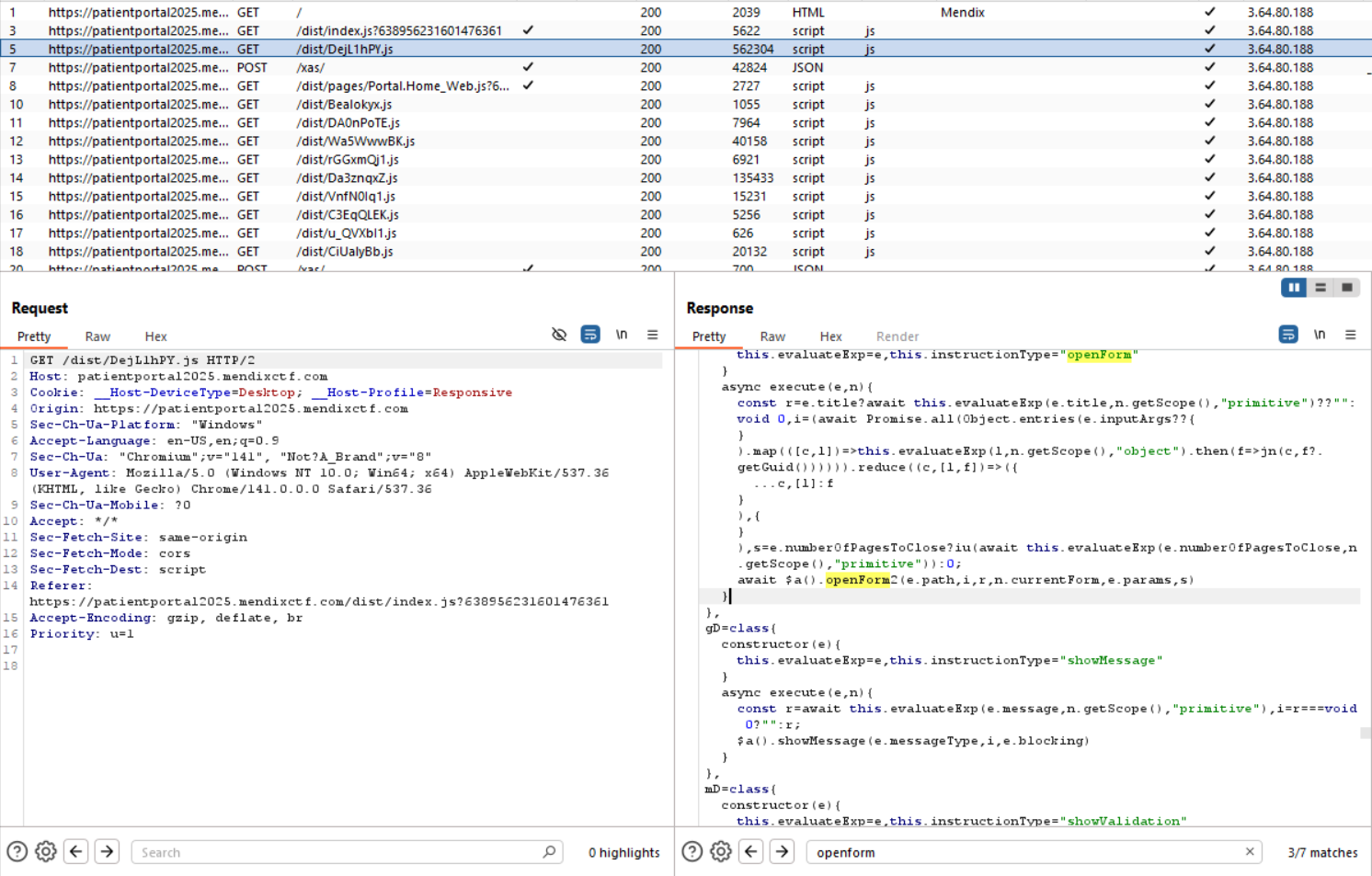
Being undocumented provides some difficulty in figuring out which parameters the function expects. Since this is a client-side JavaScript function we can just enable a debugger on the JavaScript code and reuse the parameters from that request.
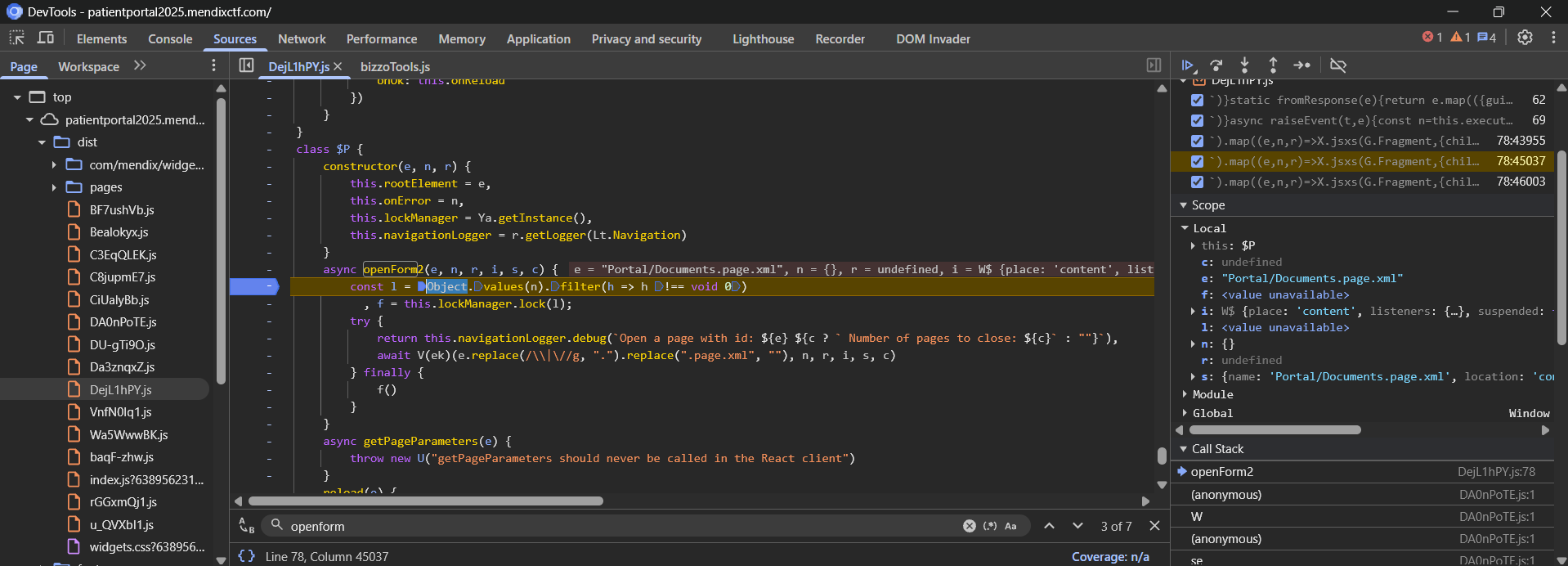
Using these parameters, we can construct our own JavaScript function by replacing some content with our own and executing it from the browser console:
let e = "Portal/DevTools.page.xml";  //PageTitle
let n = {}; // ?
let r = null; // ?
let i = {
    "place": "content",
    "listeners": {},
    "suspended": false,
    "title": "Homepage",
    "historyId": "historyId_tks_0",
    "storeBackend": {
        "recordGroups": {},
        "mirrorCount": {},
        "usedSlotsCount": {},
        "slotObservers": {}
    },
    "name": "Portal.Home_Web"
}
let s = {
    "name": "Portal/MyDoctors.page.xml",
    "location": "content",
    "allowedRoles": [
        "Administrator",
        "User"
    ]
}
let c = 0; // Pages to close

mx.ui.openForm2(e,n,r,i,s,c);
This leads us to the hidden page and our flag. I hope this illustrates how each principle comes into play to solve these puzzles!